
The best AI voice for an explainer or product demo is the one your buyer trusts for that moment: calm and deep for B2B buyers weighing risk, warm and upbeat for launches and consumer apps, bright and friendly for tutorials and onboarding. Write under the word budget for the length, keep music under the voice, and test two voices on the same cut.
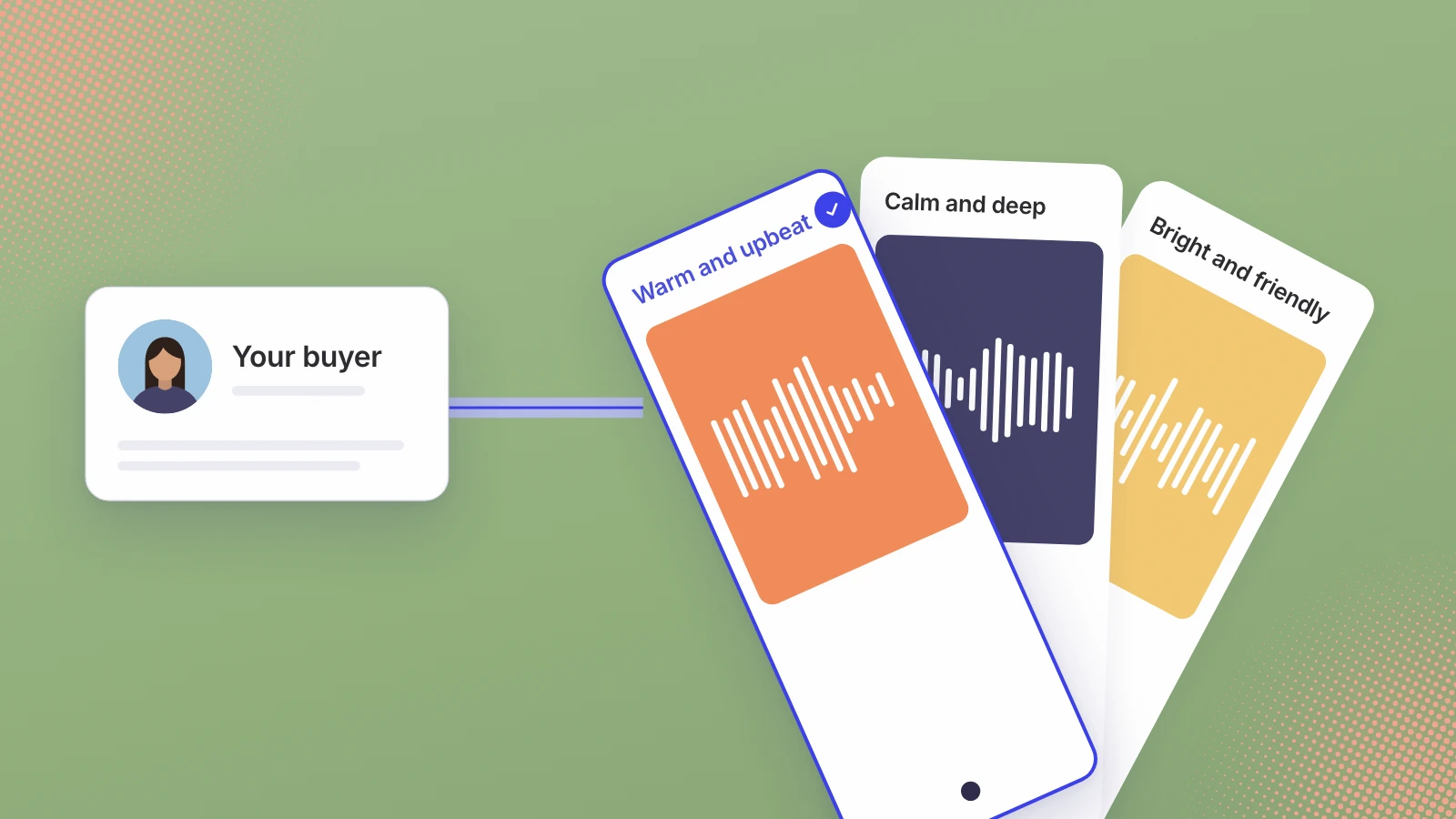
Search for the best voice for an explainer video and you get a list of voices. The list can’t know who is watching. A voice that reassures a finance lead can make a habit app feel like a compliance briefing, and the voice that suits the habit app can make a security product seem like it hasn’t thought about risk.
Pick the voice for the buyer first, the moment second and the length third.
What makes an AI voice right for an explainer video?
Realism is the entry ticket, not the decision. A blind-vote ranking of voice models tells you which ones listeners preferred head to head. It can’t tell you which voice your buyer will trust over 40 seconds of your product.
Once a voice is realistic enough not to distract, three things decide whether it’s the right one:
- Who is buying, and what they’re worried about: wasting money, taking a risk, or losing an afternoon to a tool that doesn’t work.
- What the video is for: a launch-day teaser, a feature announcement, a demo someone watches before a sales call, or a tutorial.
- How long it runs, which sets how many words the voice has to carry, and how fast.
Which AI voice suits which buyer?
Every project at our studio gets three realistic AI voices reading its own script, in three styles: warm and upbeat, calm and deep, and bright and friendly. You can hear the three reading our own script on the launch video page. I find them a useful map even if you’re auditioning voices yourself, because most narrators in any library sit somewhere near one of them. What follows is how I think about buyers, not a test result.
Warm and upbeat: launch day, and products people choose for themselves
This is the voice for a moment that should feel like news: a launch, a feature users asked for, a consumer or creator app where the viewer is also the buyer. It suits short vertical cuts, where the job is a reaction in the first few seconds. Where I’d be careful: over a long walkthrough, constant energy gets tiring, and to a buyer who is weighing risk it can read as selling.
Calm and deep: B2B buyers who sign off on risk
For finance, security, compliance, infrastructure or operations software, the viewer is often deciding whether the product is safe to buy, not whether it’s fun. A calm, lower voice gives a product demo room to breathe and lets the numbers land. It fits the explainer someone watches before a sales call, or the video on a pricing page. Where I’d be careful: on a playful product it can feel heavy, and on a 15 second teaser it can run out of time.
Bright and friendly: tutorials, onboarding and self-serve tools
When the viewer is about to do the thing rather than decide about it, the voice is a guide. Onboarding videos, help-centre walkthroughs, feature tips and tools that small teams sign up for on their own all suit a bright, friendly read, like a helpful colleague talking you through it. Where I’d be careful: to an enterprise buyer it can come across as junior, and in a serious category it can undercut the product.
| Who is watching | What the video does | Style I’d try first | Style I’d test against it |
|---|---|---|---|
| A consumer or creator choosing an app | Launch teaser, 10 to 15 seconds | Warm and upbeat | Bright and friendly |
| An ops or finance lead comparing tools | Product demo before a sales call | Calm and deep | Warm and upbeat |
| A security or compliance buyer | Explainer on a pricing or trust page | Calm and deep | Bright and friendly |
| A new user who just signed up | Onboarding or a feature tip | Bright and friendly | Warm and upbeat |
| A small team trying a self-serve tool | Launch video, 30 to 45 seconds | Bright and friendly | Calm and deep |
The second column matters as much as the first. One company can need a calm voice on its pricing page and a bright one in its onboarding videos, for the same product.
How fast should an explainer voiceover be?
When we sent one 101-word launch script to six Google voices, the reads ran 35.4 to 39.7 seconds, or 153 to 171 words a minute (the full test, with every clip).
That range turns into a usable word budget. These are ceilings at the pace we measured, not targets:
| Video length | Words at 153 to 171 a minute | What fits |
|---|---|---|
| 15 seconds | about 38 to 43 | One claim and the product’s name |
| 30 seconds | about 77 to 86 | The problem, the product doing one job, the name |
| 45 seconds | about 115 to 128 | All of that, plus one piece of proof |
| 60 seconds | about 153 to 171 | A short demo of one workflow |
| 90 seconds | about 230 to 257 | A full explainer; split it in two if you can |
I’d write well under the ceiling. The product needs seconds with no voice over it, when a result appears on screen and the viewer needs a beat to take it in. A script at the full budget leaves no room for that, and the usual fix, speeding the voice up, is the one that makes an AI narrator seem rushed.
Length changes the pace as well as the word count. A 10 to 15 second teaser carries one line, read at an easy pace, not a 30 second script read fast. A demo of a minute or more wants a slower read with a pause at each screen change, so the eye can catch up with the voice. For launch videos I’d stay between those ends: our studio’s launch cut runs 30 to 45 seconds, and the full launch video comes with a 10 to 15 second teaser.
If a voice trips over your product name, a price or a URL, change the script before you change the voice. How to make an AI voice sound human covers those script fixes.
Should the voice or the music lead?
The voice leads. Music sets the energy around it, and when the two fight, the words lose. The rules I’d follow:
- Choose the voice first, then the music. A warm, upbeat read wants a track with some lift; a calm, deep one wants space, not a busy beat underneath it.
- Use instrumental music under narration. Lyrics compete with the words for the same attention.
- Dip the music under each line and let it come back up in the gaps, where the product is on screen alone.
- Mix on the device people will watch on. A phone speaker loses the low end, so a track that sits nicely on studio headphones can swamp the voice on a phone.
- Check that the music licence covers every place the video will run, paid ads included.
Then plan for the viewers who hear neither. LinkedIn’s help centre says some videos “may play automatically without sound” as people scroll the feed, and YouTube’s help page for its Android app says videos in the Home feed and search results “begin to play on mute with captions auto-enabled”. So the captions carry what the voice says, on-screen text carries the one claim that must land, and the voice adds the tone for everyone who taps for sound.
How do you test two AI voices on the same cut?
The first rule is to audition on your own script, not the demo line; why every AI voiceover sounds the same covers that. The second is to test on the cut itself, because a voice that works on its own can fail over footage.
- Lock the cut first. Same edit, same music, same captions. Only the voice changes, or you are testing two videos, not two voices.
- Pick two that differ on purpose. Your first choice from the table above and the style beside it. Two near-identical voices teach you nothing.
- Check the hard words. Listen for your product name, any price and any URL in both reads. If one gets them wrong, fix the script and generate both again before you judge.
- Watch on a phone, then on mute. At the size people will see it, with sound. Then with the sound off, to check the captions and text still tell the story.
- Ask people who match the buyer. Show each version to a few of them without saying which is which. Ask what the product does and who it is for, not which voice they like.
- If it runs as an ad, split it fairly. Same audience, same budget, same dates, and judge on the result you care about, such as trial sign-ups, not on views.
The question you want answered is whether the buyer understood the product and trusted it. Liking a voice is a weaker signal than either.
Getting a voice matched to your buyer
This is how our studio works. On the intro call we talk about who you’re selling to, then we send three realistic AI voices reading your own script, written from the brief we agree on that call. You pick one or ask for another read, it’s labelled wherever a platform asks, and it’s never a clone of a real person’s voice. A launch cut with the voice is $700, delivered in 7 working days. If you want the product on screen too, the full launch video adds your real screens, animated from your live site, for $1,200 in 10 working days.
Choose the voice for the person who decides, then test it where they’ll hear it.
Sources
- LinkedIn Help, Manage video autoplay settings
- YouTube Help, Use the inline player (Android)
- ElevenLabs, Voice Library
Written by Lera Leonteva. Prices and rules change; each one is linked to its own page, read October 2026.