
To make an AI voice sound more human, fix the script before you change tools. Write prices and numbers the way you would say them, respell product names, links and abbreviations as they are spoken, keep one idea per sentence, use full stops and commas to place pauses, end on one real question, and match loudness before you add music.
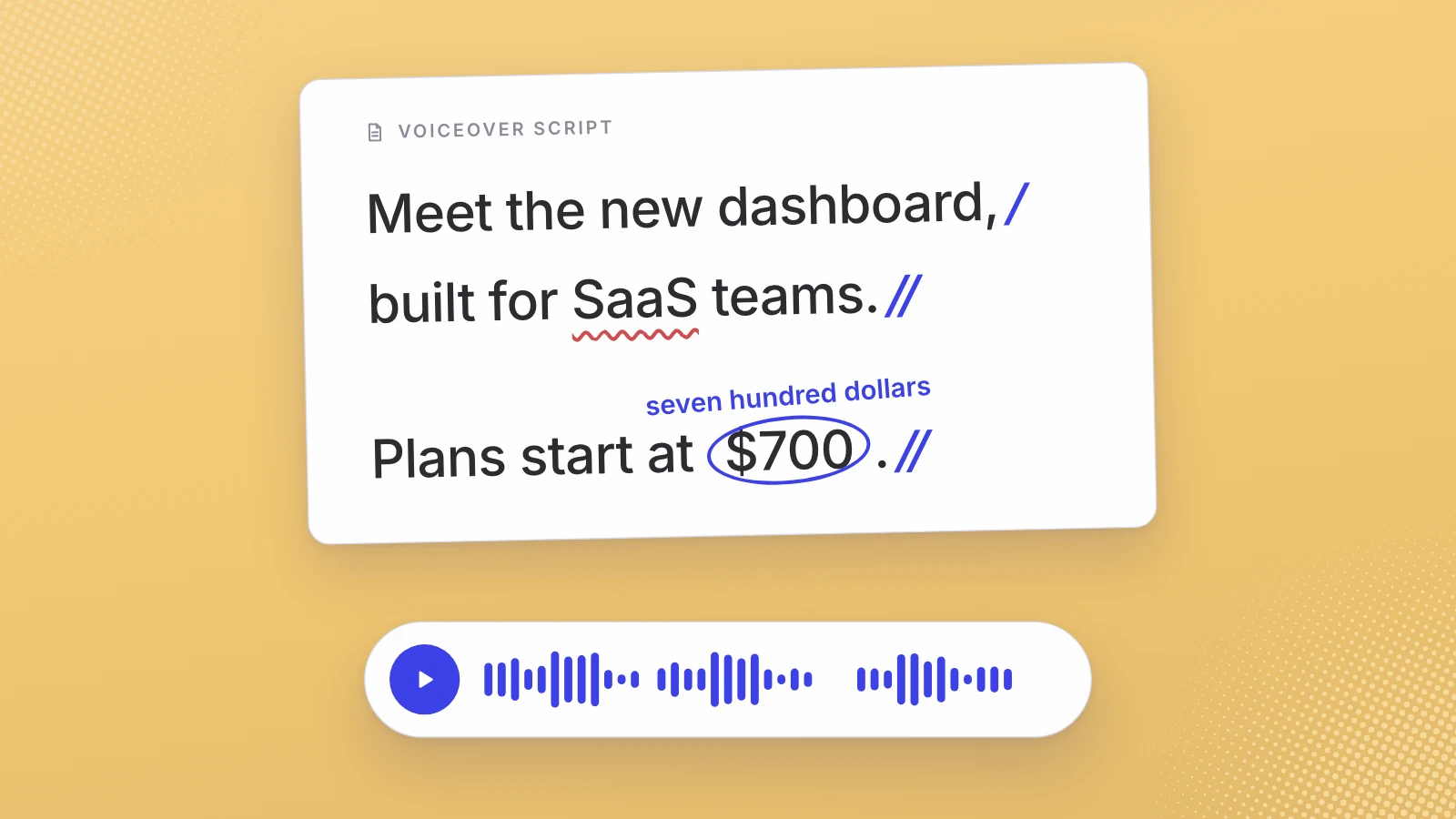
When an AI voiceover comes back flat or tripping over a word, it is tempting to try another voice. I’d fix the script first. A script written for a screen hands the model things nobody says out loud: a dollar sign, a web address, an abbreviation, a sentence with a bracket in the middle.
Write one script for the voice and keep another for the screen.
Why does AI voice sound weird?
Anything the text leaves open, the model has to decide. Is 2026 a year or a quantity? Is SaaS a word or four letters? Where does a 30-word sentence breathe? A person reading your script settles those without thinking, because they know the product and the room. The model settles them on its own, one guess at a time. I think a few wrong guesses in a row is most of what people mean by robotic.
Google says as much in its own scripting advice for its Chirp 3 HD voices:
“Long, convoluted sentences can be difficult for TTS engines to handle. Break them down into shorter, more manageable sentences.”
Google Cloud, Chirp 3: HD voices
The same page tells you to read the script aloud before you synthesise it, and to use contractions such as “it’s” and “we’re”. Both are writing advice, not settings.
How to write numbers and prices for text to speech
Write every figure the way you want it said. A model may read one figure perfectly and trip on the next, and you only find out by listening. A price is the last line I’d want misread in a launch video.
- Prices with units: “$49/mo” becomes “forty-nine dollars a month”. A slash is a symbol, not a word.
- Ranges: “15-45s” becomes “fifteen to forty-five seconds”.
- Big and decimal numbers: “1.2M” becomes “one point two million”, “3.5x” becomes “three and a half times”.
- Dates: “10/11” is October in the US and November in the UK. Write “the eleventh of October” or “October eleventh”.
- Versions: “v2.1” becomes “version two point one”.
- Round where the exact figure doesn’t matter. “Over two thousand teams” is easier to hear than 2,047, as long as it is still true.
Then keep the captions on the written script. The screen should still say $49 a month while the voice says forty-nine dollars a month, so don’t generate captions from the voice track and paste them in unread.
How to write product names, URLs and abbreviations
Product names are where a voice most needs your help, because the model has never heard your team say it. Respell it in the voice script the way it is said: “Leo AI” as “Leo A.I.”, an invented name like “Zyra” as “ZY-ruh”. Try two spellings if the first doesn’t land.
Web addresses are harder. I’d put the address on the end card and only say it if viewers have to type it from memory. If you do say it, write it out word by word, “leo dash A.I. dot I.O.”, and say it once, at the end, not in the middle of a sentence.
Abbreviations need a decision before they need a spelling. SaaS can be “sass” or four letters. SQL can be “sequel” or S-Q-L. Pick the version your buyers use (listen to a sales call if you aren’t sure), write it in that form, and use it the same way every time it appears.
When respelling isn’t enough, the tools have controls. Google’s Chirp 3 HD documentation lets you set custom pronunciations in IPA or X-SAMPA phonetic spelling, and its SSML support (in preview) includes a sub tag that “pronounces the alias value instead of the element’s contained text”, so the screen copy can stay as written.
Sentence length and punctuation: how to set the pace
Punctuation is the one pause control that works with any model, because it is part of the text. Google’s Chirp 3 HD tips put it plainly: a full stop is “a full stop and a longer pause”, a comma signals “shorter pauses within sentences”. Its Gemini-TTS page says standard punctuation creates natural pauses too, and adds bracket tags for more control, such as a short pause it compares to a comma, around 250 milliseconds.
- One idea per sentence. I’d keep most launch lines under about 15 words.
- Turn brackets into their own sentence. A voice can’t show a bracket.
- Use a full stop where you want a beat, a comma where you want a breath.
- Put the subject first. “Leo cuts your footage” lands faster than “Your footage, which you already have, is cut by Leo.”
- Put “and” before the last item in a list, so the voice knows where it ends.
Use bracket pause tags sparingly. Google warns that the model “might occasionally disregard the pause tags, especially if they are placed in unnatural positions in the text”. If a pause only works with a tag, the sentence usually wants rewriting.
Should an AI voiceover ask questions?
One, yes. A real question with a question mark tells the model, in plain text, that the line is a question, and it gives the viewer a reason to keep listening. Keep it short, and make it a question you would ask a customer out loud.
Avoid stacking them. Three rhetorical questions in a row (“Tired of editing? Hate being on camera? Short on time?”) read as a pattern. The end of the script is a good home for the one you keep.
What written direction can and cannot fix
Some models take a written direction next to the script. Google calls the Gemini-TTS prompt “styling instructions on how to synthesize the content in the text field” and the primary driver of tone and delivery. It also says the text has to agree with it: asking for a scared tone on a line like “The meeting is at 4 PM” will, in Google’s words, “produce ambiguous results”.
So use direction for the things a script can’t carry: warmth, energy, the overall pace, the kind of narrator. Don’t rely on it for exact pronunciation or exact timing. In our test of one launch script on Google’s voices, the same written direction slowed Gemini 2.5 Flash TTS from 171 to 154 words a minute, sped Gemini 2.5 Pro TTS up from 160 to 171, and the directed Pro transcript ran two sentences together.
That is why the respellings belong in the script itself, even when the direction spells them out too. Direction sets the tone. The script decides the words. Then you check every read, as Google itself advises for any new prompt.
This is the part of the work our studio does before any voice reads a line. On the $700 launch cut with a realistic voice, the script is written with you, for the ear, and only then do three realistic AI voices read it.
A script pass to run before you switch tools
Run this once on any script, in this order, before you blame the voice:
- Read it aloud yourself. Mark every place you stumble, run out of breath or change a word without meaning to.
- Write every number as it is said. Prices, ranges, dates and versions in words, the way your buyers say them.
- Respell names, links and abbreviations. Decide how each is said, write it that way, and use the same form every time.
- Cut to one idea per sentence. Split anything with a bracket, a semicolon or a second “which”.
- Place the pauses with punctuation. A full stop for a beat, a comma for a breath. Add a tag only where punctuation can’t do it.
- Keep tone in the direction and words in the script. If the model takes a direction, describe the narrator and the pace there. Leave pronunciation to the script.
- Generate the same script more than once. Google suggests re-synthesising with the same voice, since small changes to punctuation or wording can change the read. Keep the best take.
- Match loudness, then add music. Bring every take to the same integrated loudness before you compare them or mix.
Fix loudness before the music mix
A text-to-speech model hands back audio at whatever level it produces, and that level varies: the six reads in our test came back between −23.5 and −19.0 LUFS before anyone touched them. LUFS (loudness units relative to full scale) measure how loud a clip is on average across its length.
If two reads sit at different levels, you are comparing volume as well as voice, and the music level you set under one take is wrong for the next. So pick one target and normalise every take to it first. For broadcast, the European Broadcasting Union’s R 128 recommends an average programme loudness of −23 LUFS. The exact number matters less than every take hitting the same one.
Most editors have a loudness meter for this. From the command line, ffmpeg’s loudnorm filter does EBU R 128 loudness normalisation to whatever integrated target you set. Only then bring the music in under the voice; how to set music under a voiceover is its own job.
When to switch tools instead
After a clean script pass, some problems are the model’s, not yours. If it still says your product name wrong in most takes, ignores full stops, or drifts in tone halfway through 40 seconds, try another voice. The blind-vote leaderboard is a fair place to start a shortlist, and picking one your viewers haven’t heard matters as much as realism.
If you would rather not do the script pass at all, our launch video studio does it for you. We write the script with you for the voice before any voice reads it, three realistic AI voices read your words, and you pick one or ask for another read. The cut with your footage is delivered in 7 working days, never with a clone of a real person’s voice, and labelled as AI wherever a platform requires it.
Fix the words first. Then judge the voice.
Sources
- Google Cloud, Chirp 3: HD voices (scripting tips, pronunciation, pause tags)
- Google Cloud, Gemini-TTS (prompts and pacing tags)
- EBU, R 128: Loudness normalisation and permitted maximum level of audio signals
- FFmpeg, Filters documentation: loudnorm
Written by Lera Leonteva. Prices and rules change; each one is linked to its own page, read October 2026.