
For a multi-host podcast, pick by how you record. Opus Clip’s split layouts need the speakers in the same frame, from $15 a month. Riverside Magic Clips work from a separate track per guest, from $24 a month annually. Descript’s Automatic Multicam switches cameras by speaker, from $16. A service fits when nobody has time to run the tool.
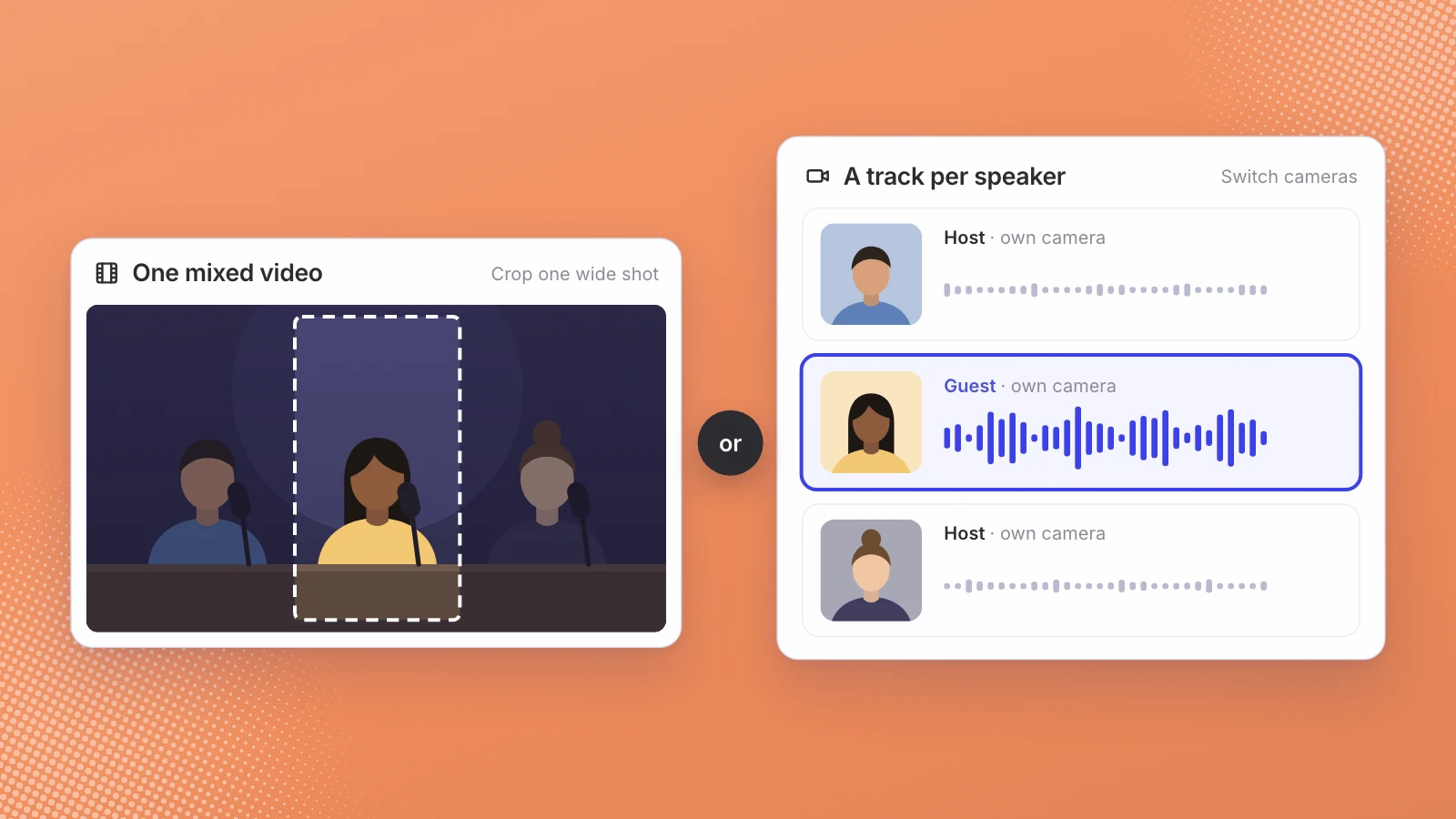
A solo podcast is easy to clip: one face, one voice, crop to vertical and caption it. Put two hosts and a guest on the same episode and every clip raises questions a solo show never does. Whose face fills the frame? When do you show everyone? Who said that line, and does the caption say so? And was the episode recorded as one shared video, or as a separate track for each person?
I compared three widely used tools on exactly those questions, using only what each company publishes about itself on 8 November 2026. I haven’t ranked them on clip quality, because that depends on your footage.
The biggest difference between them is not price. It is whether the tool works from one mixed video or from a separate track for each speaker.
What a multi-host podcast needs from a clip tool
- Framing that follows the speaker. The person talking should fill the vertical frame, and the cut should move when the speaker changes.
- Layouts for two to four people. Banter and disagreement need everyone on screen at once.
- A way to use separate tracks. If each host recorded on their own camera, the tool should switch between those cameras, not crop one wide shot.
- Speaker-aware search. Being able to ask for clips where the guest is speaking, not the host.
- A look you can save. Captions, fonts and colors that stay the same every week.
Opus Clip: layouts for people sharing one frame
Opus Clip takes a long video and suggests clips from it. For several speakers, its layout help page lists a Fill layout, which will “focus on the speaker and crop them to fill the 9:16 screen”, and Split, Three and Four layouts that show two, three or four people at once. The condition matters: “split mode will only work when both speakers appear together in the original video frame”, and Three and Four likewise need the speakers appearing together in the original frame. So Opus Clip suits a podcast filmed as one wide shot, or a remote recording exported as a single gallery view.
On its pricing page, the Free plan is $0, Starter is $15 a month, Pro is $29 a month and Business is a custom quote. Starter and Free include one brand template; Pro includes up to four, a team workspace with “2 users / pack, up to 4 users”, and a social media scheduler. Uploads are up to 10GB per video on Starter and 30GB on Pro. In the plan tables I read, speaker-based caption colors were marked as included only on Business.
Riverside Magic Clips: built on separate tracks
Riverside is first a recording studio. Its pricing page describes multi-track recording as “separate audio and video tracks”, so each participant arrives as their own file. Its clip feature, Magic Clips, lets you “choose a speaker(s) for the clip to focus on, based on the participants in the recording”, according to Riverside’s help article. That is the speaker-aware search a multi-host show wants.
The same article says Riverside “typically identifies 2 Magic Clips for every 5 minutes of recorded conversation and each clip is generally 30 to 90 seconds long”. Every recording gets one set automatically; Pro, Grow and Webinar plans can generate up to two more sets, Business up to four more. Riverside calls the feature experimental and says results may vary.
On Riverside’s pricing page, Pro is $29 a month, or $24 a month billed annually, with 15 hours of separate track downloads, and Magic Clips don’t use AI credits. For more than one show, note the studio rule: “Pro gives you 1 studio, Grow gives you 2, Webinar gives you 3, and Business gives you unlimited”, and Riverside suggests a separate studio for each podcast. Its Magic Clips page says you can “save your default ratio, layout, branding, and length as a preset”. When I read it, the page showed a notice that it was a staging version and might not be up to date, so confirm prices at checkout.
Descript: switching cameras on multi-track recordings
Descript is an editor first, and its multi-host answer is Automatic Multicam. Descript’s help page says “its AI detects who’s speaking and cuts to the right camera across the whole recording.” There are two styles. Automatic “shows multiple speakers during dialogue and inserts cutaways during monologues”, and only works with multi-track sequences; Show only active speaker “focuses only on the current speaker”. Its pricing page also lists detection of eight or more speakers and multitrack transcription.
Clips come from a separate tool, Create Clips, included from the Hobbyist plan. Descript’s pricing page lists Hobbyist at $16 or $24 per person a month, Creator at $24 or $35, and Business at $50 or $65, depending on annual or monthly billing, with 10, 30 and 40 media hours a month. For a weekly show, the media hours are the limit to check first.
Opus Clip, Riverside and Descript side by side
| Opus Clip | Riverside Magic Clips | Descript | |
|---|---|---|---|
| Entry paid plan | Starter, $15 a month | Pro, $29 a month or $24 annually | Hobbyist, $16 or $24 per person a month |
| Several speakers | Split, Three and Four layouts when speakers share the frame | Clips focused on chosen participants | Automatic Multicam switches cameras by speaker |
| Works from | One video file | Separate track per participant | Multi-track sequences |
| Saved look | 1 brand template; up to 4 on Pro | A saved preset for ratio, layout, branding and length | Custom layout packs from Hobbyist |
| Posting | Post to social from Starter; scheduler on Pro | Pro lists publishing to YouTube, Instagram, LinkedIn and more | Watermark-free export from Hobbyist |
If your show already records in one of these, that is usually the deciding row: the tool that already has your tracks saves an export and an upload every week.
When a self-serve clip tool is the better choice
For a lot of podcasts, a tool is the right answer, and I’d say so to anyone who asked:
- You run one or two shows and someone on the team enjoys editing.
- You want to choose and tweak every clip yourself, frame by frame.
- You already record in Riverside or edit in Descript, so the clips are a step away.
- Your budget is a monthly subscription, not a service fee.
The cost of a tool is mostly time: someone still has to review the suggestions, fix the framing on the ones that miss, keep the brand template current and post the results.
Where a done-for-you service like Leo fits
A service makes sense when that time is the problem: many shows, years of episodes, and nobody whose job is to sit in a clip tool. That is where Leo for podcast networks sits. Leo indexes every episode into short segments that are transcribed and embedded, so a moment is found by what was said. Each clip is trimmed, reframed from sideways footage to vertical, given burned-in captions and speaker tags and a cover frame, then scheduled to the show’s connected account. The look comes from reels you pin, and if nothing in the library fits, nothing is posted.
Multi-camera footage is the normal case, not the exception. Podtopia Network’s first test was a two-camera, 22-minute interview, which came back as six cuts in one batch: four Shorts and Reels, one for LinkedIn and one long-form (the case study). For how the work changes once a network has dozens of shows, see podcast clipping for a network.
“We got this great AI video clipping tool that just is better than what I want to build.”
Joe Massa, CEO, Podtopia Network
Two limits to know. Leo publishes to Instagram Reels today, with YouTube Shorts in beta for invited accounts. And it has no public rate card: the price follows channels connected, posts published, hours of video indexed and workspaces. If you have more shows than people to run a clip tool, send one multi-host episode and compare the cuts with what your current tool gives you.
Pick the tool that already holds your tracks. Pick a service when nobody has time to hold the tool.
Sources
- OpusClip, Pricing
- OpusClip Help, Layout and reframing
- Riverside, Plans and pricing
- Riverside, Magic Clips
- Riverside Help Center, About Magic Clips
- Descript, Pricing
- Descript Help, Automatic Multicam
Written by Lera Leonteva. Leo AI sells a done-for-you clipping service, so we have a commercial interest in this comparison. Every feature and price is from the vendor’s own page, read 8 November 2026; check them before you buy.