You don’t need new filming for LinkedIn video. Cut talks you have already given into one-idea clips, post them natively (LinkedIn takes videos up to 15 minutes, in any shape from 1:2.4 to 2.4:1), check the captions, write a three-line post around each clip, schedule a month at a time, and feature your best talk on your profile.
Plenty of consultants know LinkedIn is where their clients are and still don’t post. The reasons are familiar: filming a selfie video feels awkward, writing a post every few days eats into billable time, and the posts that do go out get a polite handful of likes. The usual advice, post more and be authentic, makes it worse.
There is a version of LinkedIn video that suits people who hate posting. It uses talks you have already given, takes one sitting a month, and lets your profile do most of the selling.
You don’t need new content for LinkedIn. You need your best existing talks, cut short and posted on a routine.
Is video worth it on LinkedIn?
LinkedIn says video is growing on its platform. Its marketing blog said in June 2025 that “video viewing has increased 36% in just the last year, and video creation is growing at 2x the rate of other original post formats.” In its July 2025 business highlights, LinkedIn said “comments on LinkedIn rose over 30% and video uploads increased over 20% this year.”
Those are LinkedIn’s numbers about LinkedIn, not a promise about your account. What they do tell you is that video is a format the platform is investing in. For a consultant, the stronger argument is simpler: a clip of you making your best point on stage shows how you think faster than a text post can.
LinkedIn’s video rules, in plain terms
From LinkedIn’s help page on sharing videos:
| Rule | What LinkedIn says | What it means for a talk clip |
|---|---|---|
| Length | 3 seconds (desktop) to 15 minutes | A one-minute clip is well inside the limit |
| File size | 75 KB to 5 GB | Any normal phone or editor export fits |
| Shape | Aspect ratio 1:2.4 to 2.4:1 | Vertical, square and wide clips all upload |
| Captions | Auto-captions in 10 languages, or upload a caption file | Check the auto-captions, or burn your own in |
| Safe zones | Keep edges free of key elements, text and logos | Keep your name and captions away from the edges |
| The video feed | You can’t post straight into the immersive video feed | Post normally; LinkedIn picks videos for that feed |
That last row deserves a sentence. LinkedIn says the immersive video feed “features content based on the quality and relevance of existing videos on LinkedIn.” There is no button for getting in. The only lever you have is posting clips worth watching.
Start from talks you have already given
Your raw material is probably already recorded: a keynote, a conference panel, a podcast you guested on, a webinar you ran for a client, a workshop someone filmed. Each holds several ideas you have said well in public. Collect the files and the permission to use them, then cut one idea per clip. The method, including how to check who owns a recording, is in personal branding video from one keynote.
For LinkedIn specifically, favor the clips where you make an argument a client would recognize: a mistake you see companies make, a number that surprised you, a way you would approach a common problem. Those are the clips that start conversations with buyers rather than with other speakers.
Write the post around the clip
The text above the video does most of the work of getting it watched. Keep it short and give it three parts:
- The point, in one line. The same claim the clip makes, written as a sentence a client would repeat.
- One line of context. Where you said it and why it came up: “From a talk to CFOs last spring.”
- A question. Something a reader can answer from their own work, so the comments are about their problem, not your talk.
That is the whole post. No hashtags to research and no thread to write.
A monthly routine for people who hate posting
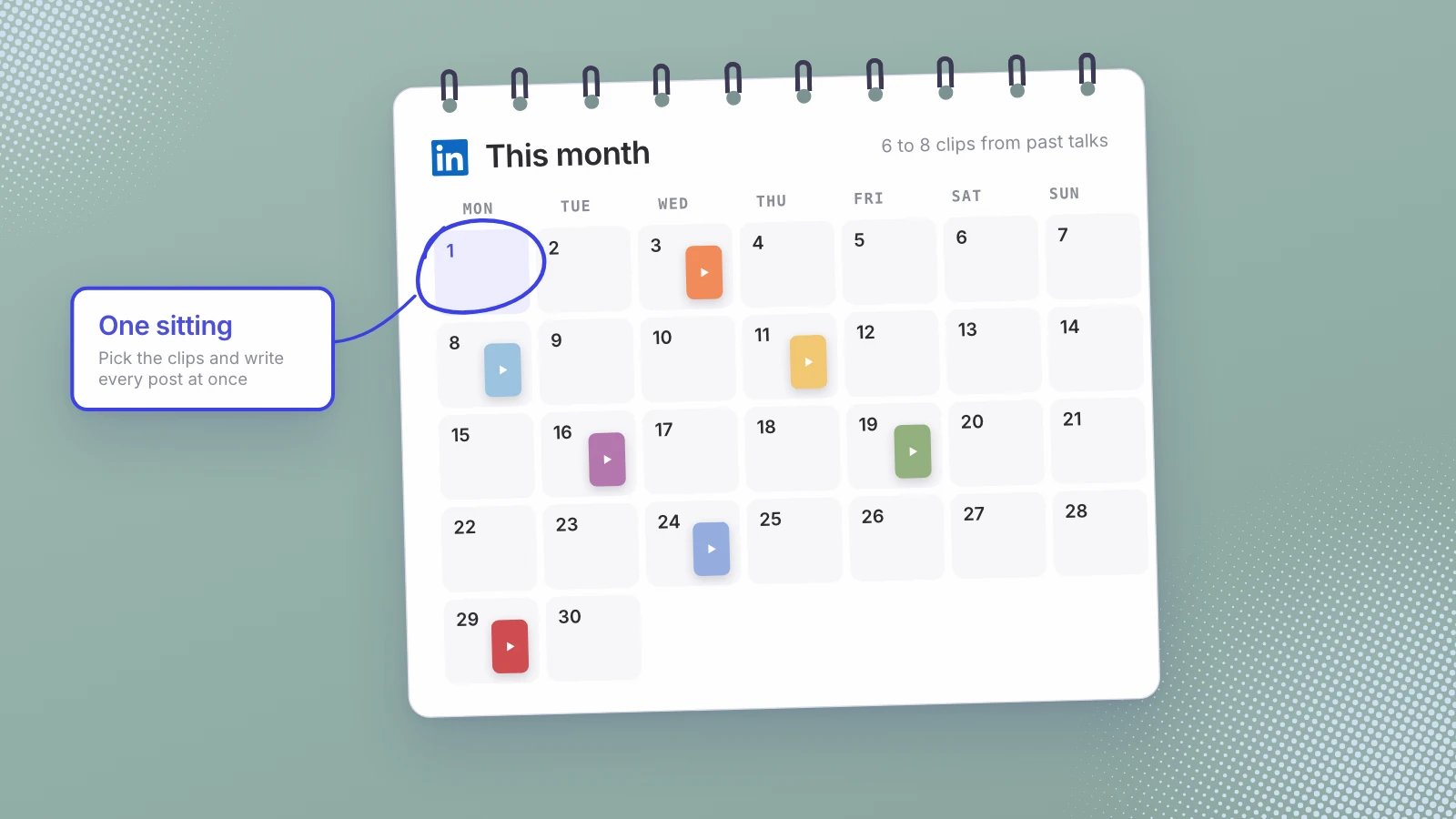
- Pick the month’s clips in one sitting. Choose six to eight clips from your library, each with a different idea.
- Write all the post texts at once. The three-part format above, one after another, while the ideas are fresh.
- Schedule them. Spread them across the month so a busy week doesn’t mean a silent one.
- Answer comments on the day each one goes out. This is the only part that needs you live, and it is where the client conversations start.
- Add one new recording a month. Any talk, panel or guest spot you give goes into the library for next month.
Let your Featured section do the selling
When a clip works, people click through to your profile. LinkedIn’s help page says “the Featured section allows you to showcase samples of your work to people who view your LinkedIn profile”, including posts you have created and uploaded media such as videos. Feature the full talk, or the clip that did best, so a visitor sees you at your best before they read your job history. LinkedIn notes that a post has to be published before you can feature it.
Where Leo fits, and where it doesn’t
To be clear about the limits: Leo publishes to Instagram Reels today, and YouTube Shorts is in beta for invited accounts. LinkedIn is not one of its publishing channels, so on LinkedIn you would post the clips yourself, using the routine above.
What Leo does is the part consultants avoid: finding the ideas in a recording, cutting them into captioned clips with your name on screen, and keeping your Instagram and YouTube channels posting on a schedule. It has cut LinkedIn versions for clients before; Podtopia Network’s first interview became six cuts, one of them for LinkedIn (the case study). Eric Solomon’s single TEDxRiverdale talk started new Instagram and YouTube accounts with 81 YouTube videos by 14 September and 69 Reels (his story).
“It’s really, really helpful to me in ways that I don’t know how to help myself.”
Eric Solomon, The Human OS
If you have talks on video and no wish to become a content creator, Leo for consultants and speakers will show you the clips in one recording first. Use the best of them on LinkedIn your way, and let Leo keep your other channels posting while you work. The personal branding service has the details.
Post less often, from better material. Your talks were always the best thing you had to say.
Sources
- LinkedIn Help, Share videos on LinkedIn
- LinkedIn Help, Manage featured samples of your work on your profile
- LinkedIn Pressroom, LinkedIn business highlights from Microsoft’s Q4 FY25 earnings
- LinkedIn Marketing Blog, 13 tips for compelling B2B video content on LinkedIn
Written by Lera Leonteva. Leo AI turns consultants’ recorded talks into clips, so we have a commercial interest in this subject. LinkedIn’s figures and rules are linked to its own pages, read 8 November 2026.