
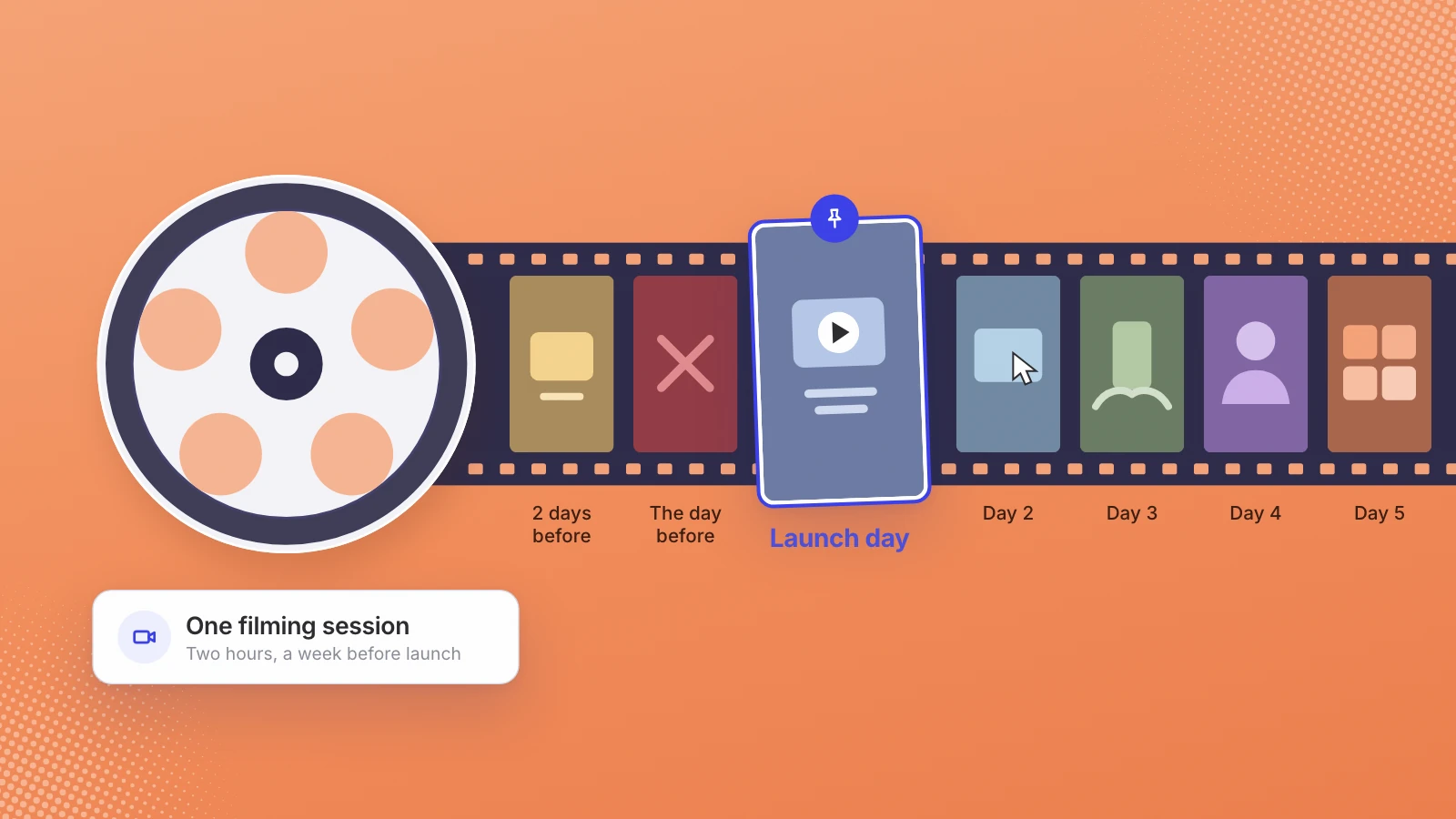
Film everything in one session before launch, then post once a day for a week: a teaser two days out, the problem the day before, the launch video on the day, then a feature clip, a how-it-works clip, why you built it and a recap. Cut every clip vertical and wide, and schedule the whole week before it starts.
Launch week often gets a single post: the announcement. Then the team is busy with sign-ups and support, and the feed goes quiet just when people are curious. Posting every day that week doesn’t take a week of filming. It takes one good session before launch and a plan for what each day gets.
Film once, before launch. Post every day for seven days.
What to film in one session
Book two hours, about a week before launch. Everything for the seven days comes out of it:
- Screen recordings of the product working, one per feature you plan to talk about, each starting from a clean screen.
- Someone using it. Hands on a keyboard or a phone, filmed over the shoulder with the product visible. Nobody has to face the camera.
- The team at work. Desks, whiteboards, the last fixes going in. Ten seconds per shot is plenty.
- Three answers. Why we built it, who it’s for, what comes next. On camera if someone is willing; as a voice recording or written lines for on-screen text if not.
- One clean hero shot of the finished product, for the cover and the last frame of most posts.
That’s the footage bank. The rest of the week is choosing from it, which is what makes a daily post realistic for a small team.
The week, day by day
| Day | The post | Length | Cut from |
|---|---|---|---|
| Two days before | Teaser: a glimpse of the product and the launch date | 10 to 15 seconds | The hero shot |
| The day before | The problem, shown: what life looks like without the product | 15 to 20 seconds | Team footage or a screen recording of the old way |
| Launch day | The launch video, pinned to your profile | 30 to 45 seconds | Everything, cut together |
| Day 2 | The feature people asked about most on launch day | 20 to 30 seconds | One screen recording |
| Day 3 | How it works, from sign-up to first result | 45 to 60 seconds | The over-the-shoulder footage |
| Day 4 | Why we built it | 30 to 60 seconds | The founder’s answers, or text over team footage |
| Day 5 | Recap: what happened this week and what comes next | 20 to 30 seconds | The week’s best moments, plus replies you have permission to show |
Seven posts, one source. If you post on several channels, the same clip goes to each. Writing a different version per platform is the fastest way to make the week too much work.
Launch day timing
If you’re launching on Product Hunt, its clock sets your day. Product Hunt’s help center says “every launch goes live at 12:01 AM Pacific Time on the day you schedule,” and that its team “reviews every launch and hand-picks which ones to feature on the homepage leaderboard,” so being live doesn’t guarantee being seen there. That’s one more reason to have your own channels carry the day.
I’d schedule the launch video for the morning in your buyers’ time zone, pin it, and point the caption at the one place you want people to go: the Product Hunt page, the sign-up, or a reply. Then stay in the comments. Every question asked twice on launch day is a candidate for the day 2 post.
Sizes for each channel
Cut each clip once, then export what each channel accepts:
- Instagram Reels: an aspect ratio between 1.91:1 and 9:16, at least 30 frames per second and 720 pixels (Instagram Help Center). Export vertical.
- YouTube Shorts: square or vertical, up to 3 minutes (YouTube Help).
- LinkedIn: aspect ratios from 1:2.4 to 2.4:1, up to 15 minutes and 5 GB (LinkedIn Help). I’d post the launch video wide there and the daily clips vertical.
Check the text in every shape before you schedule. A line placed near the edge of a wide frame may not survive the vertical version, and the reverse is true for text stacked tall.
Schedule the week before it starts
Launch day is the worst day to be writing captions. Finish all seven posts, captions included, before the teaser goes out, and schedule them. Then the only live work during the week is replying, and nobody has to remember to post at 7am on day 4.
Two small habits help. Write each caption around one sentence a buyer would repeat to a colleague. And keep a running note of every question from the comments; by Friday it’s your plan for the next month.
After the week
The week ends; the footage doesn’t. Whatever you didn’t use, plus every question from launch week, is the start of the next month of posts. Plan at least one post a week after launch so the account doesn’t go silent when people are still deciding.
One filming session goes further than it looks. For Obvious, an AI startup, 40 minutes and 38 seconds of footage from a week-long builders’ retreat was indexed and nine posts were ready within about two hours, followed by three ads. If one of the week’s posts is a product demo, the script and length are covered in SaaS demo video: script, length and cost.
Where Leo fits
We make launch videos and the posts after them, so this is our pitch, with that interest declared. We cut the launch video from your product and the footage you already have: $500 for a 30 to 45 second launch cut in 5 working days; $700 with a script written with you and a licensed AI voice, in 7; and $1,200 with your product animated from your live site, in 10. The $1,200 tier includes an end card and a 10 to 15 second teaser, which is the first post of this plan. Nobody has to go on camera. Then Leo cuts the same footage into captioned clips and schedules them to your channels. The page for startups has the details, and what a launch video costs compares the other ways to get one made.
If your launch date is set, book the filming session now and the week mostly plans itself. Tell us the date and we’ll say what we can make from your footage.
One session of footage. Seven days of posts.
Sources
- Product Hunt Help Center, How Product Hunt works
- Instagram Help Center, Reel size and aspect ratios on Instagram
- YouTube Help, Upload YouTube Shorts
- LinkedIn Help, Video sharing troubleshooting
Written by Lera Leonteva. Prices and rules change; each one is linked to its own page, read November 2026.