
A SaaS demo video should show one task from start to finish: 60 to 90 seconds for a homepage or sales email, under a minute for social. Script about 150 words per finished minute. The screen recorders I priced cost $0 to $29 a month; studios publish $1,000 to $6,000 for a 60-second demo.
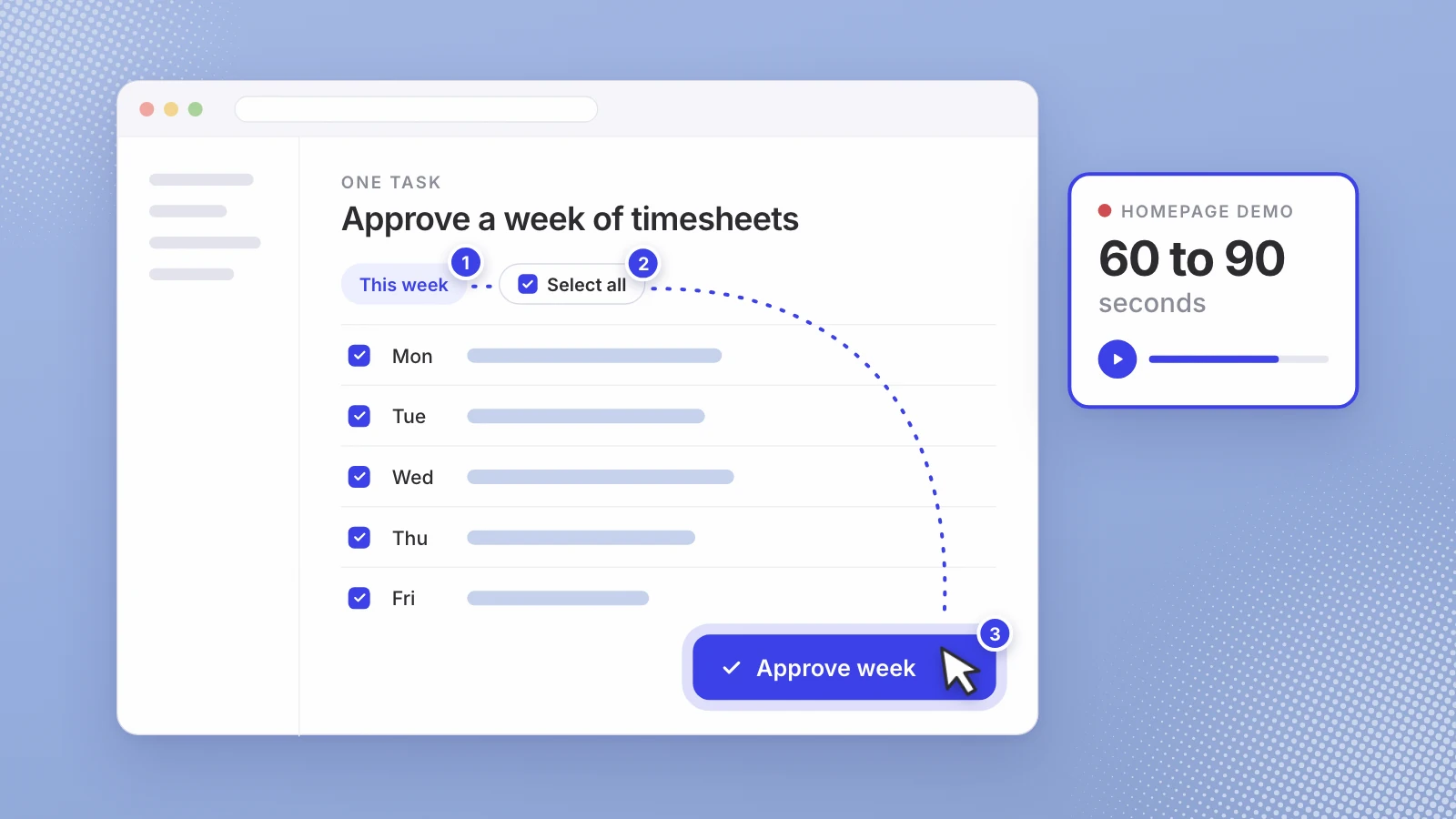
A demo video has one job: show a buyer your product doing the thing they’re considering paying for, without a call. It isn’t the launch video, which announces something new on a date, and it isn’t an explainer, which sells the idea. It’s the proof. That changes how long it should be, how you write it and where the money goes.
One task, start to finish, with nothing in the way.
Demo video, launch video or explainer?
| Demo video | Launch video | Explainer | |
|---|---|---|---|
| Its job | Show the product doing one task | Announce what’s new, on a date | Explain the problem and the idea |
| Who watches | Someone already evaluating you | Someone who just heard of you | Someone who doesn’t get it yet |
| Where it lives | Homepage, sales emails, help center | Launch posts and the announcement | Homepage hero, ads |
| How long it lasts | Until the interface changes | Launch week, then cutdowns | Until the positioning changes |
If what you need is the launch video, its costs are in what a product launch video costs. The rest of this post is about the demo.
How long should a SaaS demo video be?
Shorter than the product deserves. Wistia’s guide to video length, drawn from its 2026 State of Video report and over 13 million videos on its platform, says “videos under a minute average a 52% engagement rate,” with product videos at 50%. For teaching how something works, it calls 1 to 5 minutes “the sweet spot” and says “viewers typically watch over 50% of an educational video and a tutorial video in this range.”
So the length depends on where the demo runs. This is how I’d set it:
| Where it runs | Length | What it shows |
|---|---|---|
| A social post | 30 to 45 seconds | One moment of the task, result first |
| Homepage or pricing page | 60 to 90 seconds | The whole task, start to finish |
| Sales email after a call | 60 to 120 seconds | The task the buyer asked about |
| Help center | As long as the task takes | Every step, for someone already doing it |
How to script a demo video
Write the script before you open the recorder, because re-recording is where demo videos eat time. Voice123’s rate calculator counts finished minutes “based on 150 words per minute,” which makes a useful budget: about 150 words for a 60-second demo and about 225 for 90 seconds, fewer if you leave quiet beats for the screen.
- The problem, in one line. What the viewer is stuck with today, in their words. Five to ten seconds.
- The task, named. “Here’s how a manager approves a week of timesheets.” One task, not a tour of every menu.
- Three to five steps, one action each. Each step is one click and one visible result. Say what the click achieves, not where the button sits.
- The result. Show the finished state and hold on it for a beat. It’s the frame you want people to remember.
- One call to action. Sign up, book a call, read the docs. Pick one.
Then cut every sentence that describes the interface (“on the left you’ll see the navigation”). The viewer can see it. Spend the words on why each step matters.
Recording it well
- A clean demo account. Realistic data, no real customer names, no test records called “asdf”.
- Bigger than life. Zoom the browser in so text can be read on a phone, and close every other tab and notification.
- A slow cursor. Move to the button, pause, click. Fast mousing reads as chaos.
- One take per step. Short segments are easier to redo than one perfect five-minute take.
- Current screens. A demo of last quarter’s interface sends buyers looking for buttons that moved.
Some recorders handle the zooming for you. Screen Studio, for example, says it “looks at what you did while recording, like where you clicked, and zooms in on the moments that matter.” It runs on Mac only.
Voice, on-screen text or both?
A narrated demo can explain why; a silent one has to show it. If each step is obvious once seen, on-screen text and captions are enough. If the buyer needs the reasoning, add a voice: yours, a hired voice actor, or a licensed AI voice. The trade-offs are in AI voice vs a voice actor.
What does a SaaS demo video cost?
Published prices, read in November 2026:
| Route | Published price | What you get |
|---|---|---|
| Loom | Starter $0 (recordings up to 5 minutes); Business $18 per user a month | Screen and camera recording; you script and edit |
| Screen Studio | $9 a month billed yearly, or $29 monthly | A Mac recorder with automatic zooms; you script |
| Motion Graphix | $1,450 a video; bundles from $850 a video | Script, screen recording or rebuilt UI, animation, voice-over and music; 10 to 15 working days to a first draft |
| Advids | $1,000 to $6,000 for a 60-second demo | A fixed fee by style; 3 to 4 weeks from brief to delivery |
| Leo launch cut | $500, or $700 with a licensed AI voice | Cut from your recordings and footage in 5 or 7 working days |
Recording it yourself is cheap in money and expensive in hours: writing, recording, re-recording, editing, captions, exports. A studio is the reverse. For a demo every prospect will watch for a year, I’d pay for it. For a feature that changes every month, I’d record it myself and re-record when it changes.
Where a demo goes after you make it
One recording can serve several places: the full demo on the homepage, a shorter cut of the result for social, and one clip per feature for the help center. Buyers do look for this format. In Wyzowl’s 2026 survey, 63% of people said they would most like to learn about a product by watching a short video, though the survey was small, with 266 respondents.
Where Leo fits
We make launch videos for startups, and a demo recording is often where a launch video starts, so here is our offer with our interest declared. The launch cut is $500: a 30 to 45 second video from your footage, on-screen text agreed on the call, captions and music cleared for social, vertical and wide, two rounds of changes, in 5 working days. Adding a script written with you and a licensed AI voice is $700 in 7 working days, and animating your product from your live site is $1,200 in 10. With no recordings at all, a screen recording session with our team is $200. Nobody has to go on camera, and it starts with a free 30-minute intro call.
For Parqlet, a guest parking platform for residential buildings, that meant a landscape LinkedIn ad for property managers with an AI voiceover, product animation and captions, delivered in 4K. The page for startups covers the launch video and the month of posts after it.
If a demo is next on your list, write down the one task first. Then tell us your launch date and see what we’d cut from your recordings.
Pick one task. Show it start to finish. Stop.
Sources
- Wistia, How to choose the right marketing video length for any goal
- Voice123, Voice over rates calculator
- Loom, Pricing
- Screen Studio, Screen Studio
- Motion Graphix, App demo videos
- Advids, Product demo video production
- Wyzowl, Video marketing statistics 2026
Written by Lera Leonteva. Prices and rules change; each one is linked to its own page, read November 2026.