
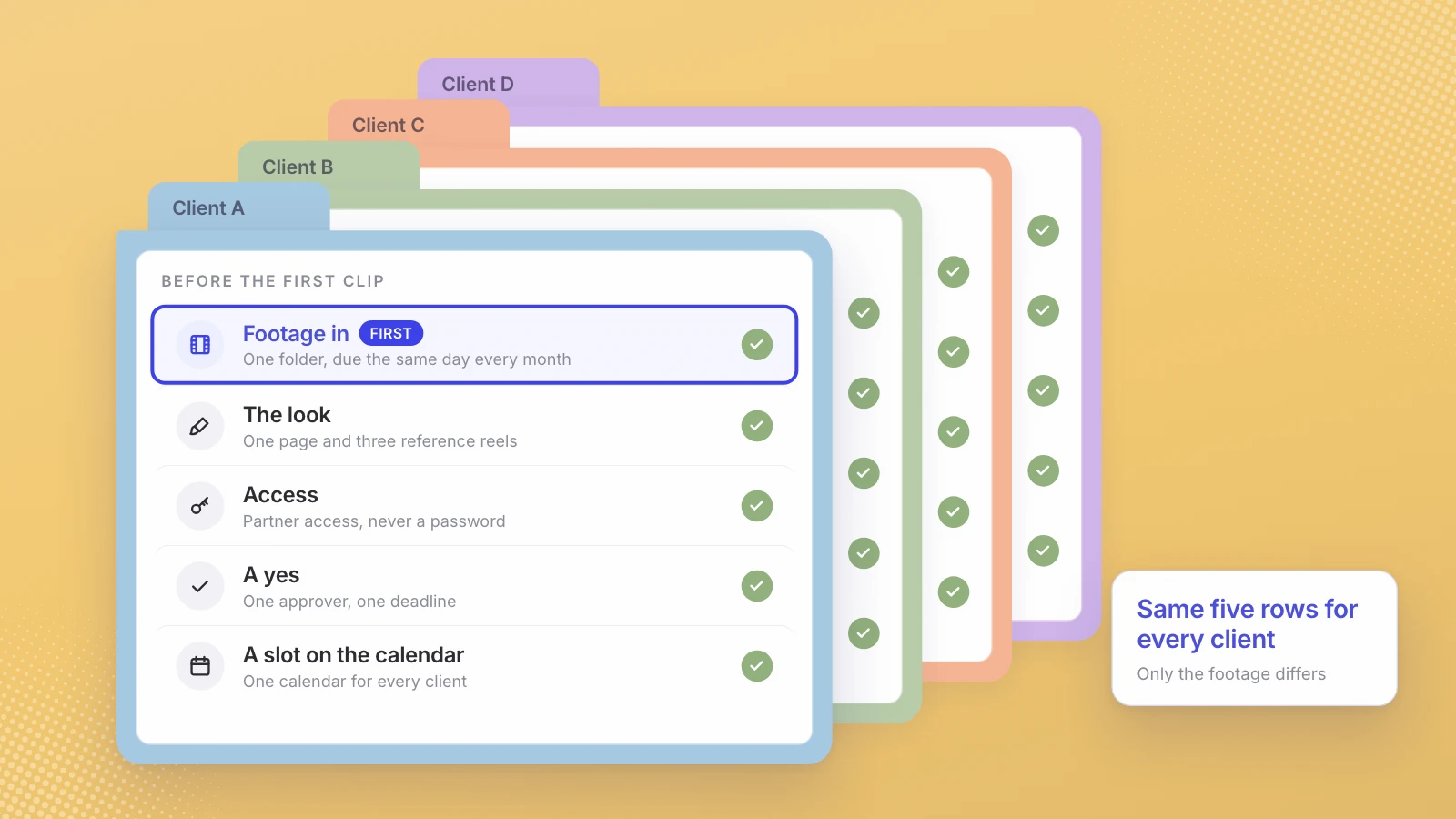
Give every client the same five pieces: a footage folder they fill by a fixed date, a one-page look with reference reels, partner access instead of a password, one approval step with a deadline, and slots on one shared calendar. Systematize intake first, because no tool or editor can post footage that never arrived.
An agency that hires an editor for every client it adds has a staffing plan, not an operating model. Short-form video for many clients works when the parts that repeat for every client are done the same way every time, and only the parts that should differ, the footage and the look, actually do.
Five things repeat for every client: footage in, the look, access, a yes, and a slot on the calendar. Standardize those and one team can run many accounts.
What does the operating model look like?
One row per client, the same columns for all of them:
| Piece | What it is for each client | What stays the same across clients |
|---|---|---|
| Footage intake | One folder or upload link the client fills, with a monthly reminder | What to send, how to describe it, the day it’s due |
| The look | A one-page style: captions, fonts, colors, speaker tags, covers | The template the page follows, and who can change it |
| Access | Partner access to the client’s accounts | How access is requested: never a password |
| Approval | One named approver and a deadline | One round per batch, comments in one place |
| Calendar | A set number of slots per week | One shared calendar for every client |
None of this needs new software to start. It needs a decision that every new client gets the same five rows before the first clip is cut.
Start with footage intake
I think the edit is rarely where a client’s calendar stalls. The footage is: it doesn’t arrive, it arrives as finished videos that can’t be recut, or it arrives with no context. Make intake boring and fixed:
- One place per client. A folder or upload link that belongs to that client, not to an editor’s laptop.
- Long recordings, not finished edits. Panels, webinars, interviews, keynotes and event footage. An hour of people talking holds many moments; a finished 30-second ad holds one.
- The original file. The camera or meeting recording at full quality, not a copy downloaded from a social platform.
- One line of context per file. What the event was, who is speaking, and anything that must not be posted.
- A due date. The same day every month, with a reminder a few days before.
File names matter less than they used to. Leo, for example, splits footage into short segments, transcribes them and finds the right 60 to 90 second moment by meaning rather than by file name; on Leo for agencies each client’s footage lands in that client’s own workspace. But no tool can post footage that was never sent, so intake is still the first thing to fix.
Write a look per client, then stop redesigning it
Clients notice when their clips drift. Put the look on one page and treat it as agreed:
- Captions: font, size, color, position, and whether words highlight as they’re spoken.
- Speaker tags: the name and title format, and when they appear.
- Covers: Instagram recommends 420 by 654 pixels for a reel cover and says you can’t edit the cover after uploading (Instagram Help), so set the cover rule before the first post.
- Shape and quality: Instagram accepts reels between 1.91:1 and 9:16, at a minimum of 30 frames per second and 720 pixels.
- Three reference reels the client likes, pinned at the top of the page.
Reference reels do more work than adjectives. “Clean and modern” means something different to every client; three examples don’t. Leo matches the look of reels the customer pins, which is the same idea done by software.
Get access the way Meta intends
The quickest way to put a client’s account at risk is to collect its password. Meta has a proper route: a client with full control of its business portfolio can give a partner access to its business assets using your business portfolio ID, with either full control or partial access for tasks “such as creating content, managing ads and responding to messages.” The client keeps ownership; Meta says only the organization that owns an asset can share it with another business portfolio.
Meta also asks for two-factor authentication on the business portfolio. For why password-based tools are a risk in their own right, see the question to ask about every tool that posts for you.
One calendar, with each client’s limits on it
Put every client on one calendar, so gaps show up across the whole roster rather than being discovered one account at a time. Note the platform’s own limits on it. Instagram’s built-in scheduler works for public accounts, takes up to 25 posts a day and up to 30 days ahead, and doesn’t support collaborative or sponsored posts (Instagram Help). Mark those as manual slots with a named person next to each.
Set a cadence per client and protect it from filler. If there’s no moment worth posting this week, an empty slot is better than a weak clip. Leo has the same rule built in: no match means no post.
One approval step, with a deadline
Approvals deserve their own process, and a later post in this series covers it in detail. The short version: one named approver per client, one batch per week, one round of comments in one place, and a deadline written into the contract. Agree it at onboarding, when nobody is waiting on a post.
What to systematize first
If you’re moving an existing roster onto this model, go in this order. Each step makes the next one easier:
- Intake. Nothing downstream works without footage. Set the folder, the list and the due date for every client this month.
- Access. Move every client to partner access and retire any shared passwords.
- The look. Write the one-page style for each client from the reels already posted.
- The calendar. Put every client on one calendar with a weekly cadence.
- Approvals. One approver, one round, one deadline.
- Reporting. Instagram shows account insights for any period within the past 90 days (Instagram Help), so record each client’s numbers monthly before they age out.
Reporting comes last on purpose. Until footage arrives on time and posts go out on schedule, the numbers mostly measure the gaps.
Where Leo fits
We build software for exactly this, so read this section as our pitch. On Leo’s agency plan, every client is its own workspace, subscribed on its own, and you operate all of them from one console. You provision client workspaces from one link, and a client sees watermarked previews until it pays. Inside each workspace, Leo indexes the footage, cuts the moments into captioned vertical clips in that client’s look, and schedules them to accounts connected through the official sign-in. For one example of how far a single recording day goes, Wayo’s hiring panel became 18 reels and 30 days of posts across two channels.
If your team is already stretched across a handful of clients, don’t move them all at once. Take one client’s recordings through intake, look and calendar on Leo for agencies, and decide from that one account whether to move the rest.
Standardize what repeats, so the only thing that differs between clients is their footage.
Sources
- Meta Business Help Centre, Give a partner access to business assets in your business portfolio
- Instagram Help Center, How to create and manage scheduled posts and Reels
- Instagram Help Center, Reel size and aspect ratios on Instagram
- Instagram Help Center, Select a date range for your account insights
Written by Lera Leonteva. Prices and rules change; each one is linked to its own page, read November 2026.