
To get leads from Instagram with footage you already own, give every clip one ask, put the link in your bio (up to five links without a subscription), tag each link with utm_source, utm_medium, utm_campaign and a per-clip utm_content, share clips through collab posts with partners whose followers buy from you, and rank clips by sign-ups rather than likes.
Most consumer brands already have more video than they post: a product demo from launch, the founder explaining why the product exists, a pop-up event, a customer unboxing on a call. It sits in a drive because nobody has time to cut it, and when a clip does go out, it is judged on likes because nothing else was measured.
Instagram can bring leads from that footage. It takes three habits more than any trick: each clip asks for one thing, the link is easy to find, and every link is tagged so you know which clip sent the visit.
A clip that brings leads is a clip with one ask and one tracked link.
Which footage you already own can bring leads
Go through the drive and sort what you find by what it shows a buyer. These five kinds of footage usually carry a clear next step:
- Product in use. A demo, a how-to, a before and after. The next step is the product page.
- The founder’s reason. Why the product exists, in their words. The next step is your story page or the sign-up.
- Customers talking. Only with their permission. The next step is a review page or an offer.
- Events and pop-ups. The room, the queue, the reactions. The next step is the next event or a waitlist.
- Answers to common questions. Sizing, ingredients, delivery. The next step is the page that answers the rest.
Finding the moments is the slow part. Leo indexes footage by splitting it into short segments and transcribing and embedding each one, so a moment is found by what was said or shown rather than by a file name. That is how an hour of event footage becomes a list of usable clips.
Give each clip one job
A clip that asks for three things gets none of them. Before a clip is cut, write its job in one line: “send people to the bundle page”, “get sign-ups for the waitlist”. Then make the ask twice, once said or shown on screen near the end, and once in the first line of the caption, so it survives a viewer who watches with the sound off.
Match the clip to the page it sends people to. If the clip shows a product in use, the link should land on that product, not the home page. Every extra tap between the clip and the thing it promised loses people.
Where the link goes
The bio is the dependable place for links on Instagram. According to Meta’s help page, without a subscription “you can add up to 5 links to your bio”, and a Meta One plan raises that to 20. Five is enough to give each running offer its own link, so the caption can say exactly which one to tap.
Leo adds a second place. On the Pro plan, a clip can carry click tracking in its first comment, so each post has its own tracked link and you can see which clips send people to your site. Posting goes through Instagram’s official sign-in and API: Leo never asks for a password, posts only clips cut from your own footage, and uses no engagement bots.
Tag every link so you know which clip worked
Without tags, Instagram traffic in your analytics is one lump. Google’s guide to campaign URLs says that when you add parameters to a URL, “you should always use utm_source, utm_medium, and utm_campaign”, and describes utm_content as the one to “use to differentiate creatives”. It also warns that “missing UTM parameters will result in (not set) values being present in reporting.”
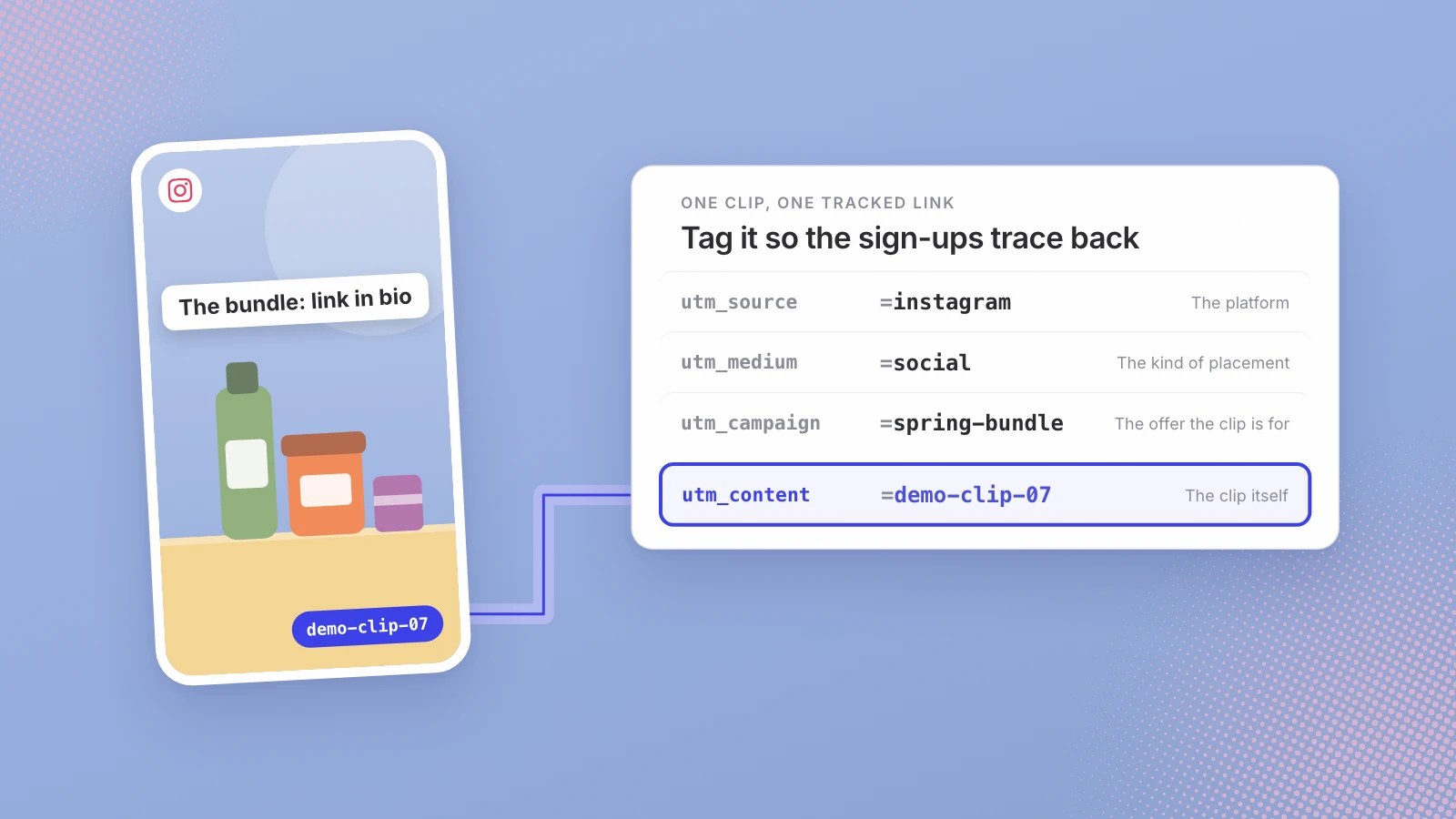
For clips, that gives a simple naming rule:
| Parameter | What to put in it | Example |
|---|---|---|
| utm_source | The platform | |
| utm_medium | The kind of placement | social |
| utm_campaign | The offer the clip is for | spring-bundle |
| utm_content | The clip itself | demo-clip-07 |
Keep a sheet that maps each utm_content value to the clip and the date it went out. When the sign-ups arrive, you can trace them back to the footage.
Borrow an audience with collab posts
Your own followers are a small audience for a new clip. A collab post shares it with someone else’s. Instagram’s Reels guide says you can “add up to 5 collaborators” and that “if your friends accept your collaboration invite, the number of people who can see your content will increase.”
The best collaborators for lead generation are people whose followers are already your buyers: a creator from a campaign, a partner brand that sells next to you, or the customer who appears in the clip. If you are weighing paid creators for this, what one creator video really costs compares the options, and Leo’s creator campaigns show how FitCommit found its creators.
Measure leads, not likes
Likes tell you a clip was pleasant. They don’t tell you it was useful. Each week, look at three numbers per clip: views, link visits (from your tagged links) and the sign-ups or orders that followed. A clip with modest views and a high share of visits is the one to make more of. On Leo’s Pro plan, post metrics and audience ranking sit next to the click tracking, and hourly trend matching suggests which moments in your library fit what your audience is talking about.
One rule stops the feed filling with weak clips while you chase volume: Leo posts nothing when nothing matches. A quiet day is better than a filler clip that teaches your followers to scroll past.
A four-week setup
- Week 1: sort the footage and set the offers. Pick three offers, give each a bio link and a landing page, and list the footage that supports each one.
- Week 2: cut and tag the first clips. Six to ten clips, each with one job and its own utm_content value, scheduled across the week.
- Week 3: add one collab. Invite a partner or a creator whose followers buy what you sell, on the clip most likely to interest them.
- Week 4: read the numbers. Rank the clips by sign-ups, not views. Cut more from the footage behind the top two, and drop the offer that brought nothing.
None of this needs new filming. If you would rather not do the cutting, tagging and scheduling yourself, Leo for consumer brands turns the footage you own into daily posts and pairs them with creator campaigns. Start with the footage already in your drive and see which clips bring people to your site. For the case for keeping that footage in a library you control, see own the footage, rent the feed.
One ask, one link, one tag per clip. Then count the sign-ups.
Sources
- Meta Help Center, Add a link page to your Instagram bio
- Instagram, Instagram Reels tips and tricks
- Google Analytics Help, URL builders: collect campaign data with custom URLs
Written by Lera Leonteva. Leo AI turns brands’ own footage into Instagram posts, so we have a commercial interest in this subject. Platform features are linked to their own help pages, read 8 November 2026.